On November 10, 2026, OpenAI opened a beta that lets businesses claim their listing inside ChatGPT. If you’ve set up a Google Business Profile before, the idea will feel familiar: you prove the business is yours, then you control the details ChatGPT shares about it.
That matters because ChatGPT has about 1.2 billion weekly users, and plenty of them are asking it where to shop, what to buy, and who to hire. We’ve written before about whether your business is showing up when customers ask AI. This is the first direct way to manage what ChatGPT says about you.
Here’s how to do it.
Who Can Claim a Business on ChatGPT Right Now

Online businesses can claim an existing listing, and eligible online businesses can add one if they can’t find it.
Local stores and restaurants can currently only claim an existing listing in the U.S.
No extra accounts are needed. You don’t need a ChatGPT Ads account or an Enterprise agreement to claim an eligible business.
Got a claim invitation by email? Open the personal link in that email and sign in with the same email address that received it.
How to Claim Your Business on ChatGPT, Step by Step
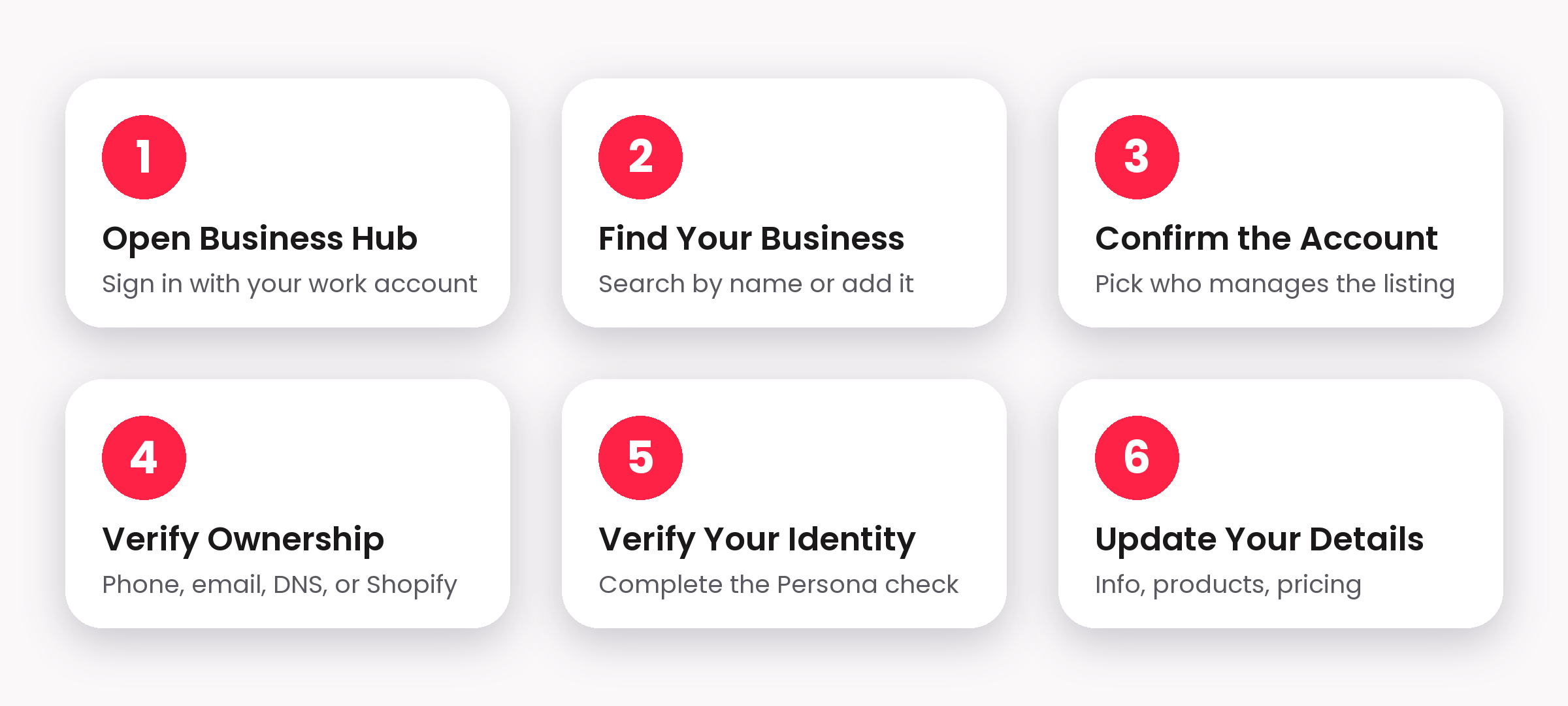
Open Business Hub. Sign in to ChatGPT with your work account and select Business Hub from the sidebar.
Find your business. Search for your business by name and select the matching listing. If it isn’t there and you’re an eligible online business, you can add it.
Confirm the managing account. Confirm which ChatGPT account will manage the listing.
Verify ownership. Pick one of the methods offered: your business phone, your business email, your website domain (by adding a DNS TXT record), or your Shopify store.
Verify your identity. Once your claim is approved, complete identity verification with Persona. The blue check appears after that, and you need it before you can publish changes, add product feeds, view insights, or create a Business Agent.
Update your details. Fill in your business details and, if you sell products, add a product feed with pricing and availability.
OpenAI’s help article on setting up your business covers each screen in more detail.
What You Can Do After Your ChatGPT Business Listing Is Verified
Keep your information accurate. Update your business details and product feed so ChatGPT has current pricing and availability.
See insights. You get data on mentions, website clicks, and the topics people use to discover you. It’s aggregated and privacy-protected, so a blank insight doesn’t necessarily mean zero activity.
Create a Business Agent. Eligible U.S. ecommerce and online-service businesses with a website can set one up, subject to OpenAI’s Business Agents Policy. Right now an agent can explain your products and policies and link people to your website. It can’t complete purchases, take bookings, or check a customer’s order.
Promote your agent. You can sponsor it and use it as a ChatGPT Ads destination. Sponsored placements are clearly labeled.
If you sell on Shopify or Etsy, your catalog is already integrated with ChatGPT. Shopify merchants can also connect their store to make verification quicker. OpenAI’s announcement and product page have the full rundown.
Watch-Outs When Claiming Your Business on ChatGPT
Locked listings. If a listing shows “Contact support,” it’s locked. Select Contact support to request help.
Local vs. online. Local stores and restaurants can’t add a new listing yet. They can only claim an existing U.S. one.
Review delays. OpenAI reviews claims and business detail updates, so changes can take time to appear. Don’t panic if your edits aren’t live right away.
It’s still a beta. Expect the steps and eligibility rules to keep changing.
Our advice is simple: claim it now, even if you don’t plan to do much with it yet. It takes a few minutes, and it means you’re the one deciding what ChatGPT says about your business.
Want help claiming your business and making sure ChatGPT has the right details? See how we can help →