
If you’ve gone looking for the Questions & Answers section on your Google Business Profile lately and come up empty, you’re not imagining it. Google has pulled public Q&A out of Maps and replaced it with an AI feature that answers customer questions on the spot.
People call it Ask Maps. A customer asks something like “is there parking?” or “do they do emergency calls?” and Google’s Gemini writes an answer using what Google knows about your business, including your own answers and your reviews. The answer no longer comes from you directly, so what Google has on file matters more than ever.
Here’s what changed and how to make sure the answers are right.
Ask Maps launches in the U.S.
Q&A API shut down
Google confirms Ask replaces Q&A
AI answers, no waiting on a reply
What Happened to Q&A on Google Business Profiles
Q&A has been part of Google Maps since 2017. Anyone could post a question on a business listing, and anyone could answer it, which meant a lot of stale answers, guesses from strangers, and questions owners never saw.
Through 2025, Google showed Q&A less and less, turned it off in some regions, and shut down the Q&A API on November 3, 2025. Then in December 2025, a Google Product Specialist confirmed the change in the Business Profile Help forums: customers now ask their question in Maps and get “an updated, instant answer based on your answers and relevant reviews.”
Your old Q&A isn’t deleted. You can still see and answer existing questions in the Q&A section of your Business Profile, and Google says those answers may still be shown in Maps.
How Ask Maps Answers Questions About Your Business
Google announced the feature in October 2024: if a place catches your eye, you can just ask Maps questions about it, like whether it has outdoor seating or a quiet atmosphere. Gemini writes the answer from Google’s data about places and what the Maps community has shared. It started in the U.S. on Android and iOS.
For your business, that answer pulls from three places:
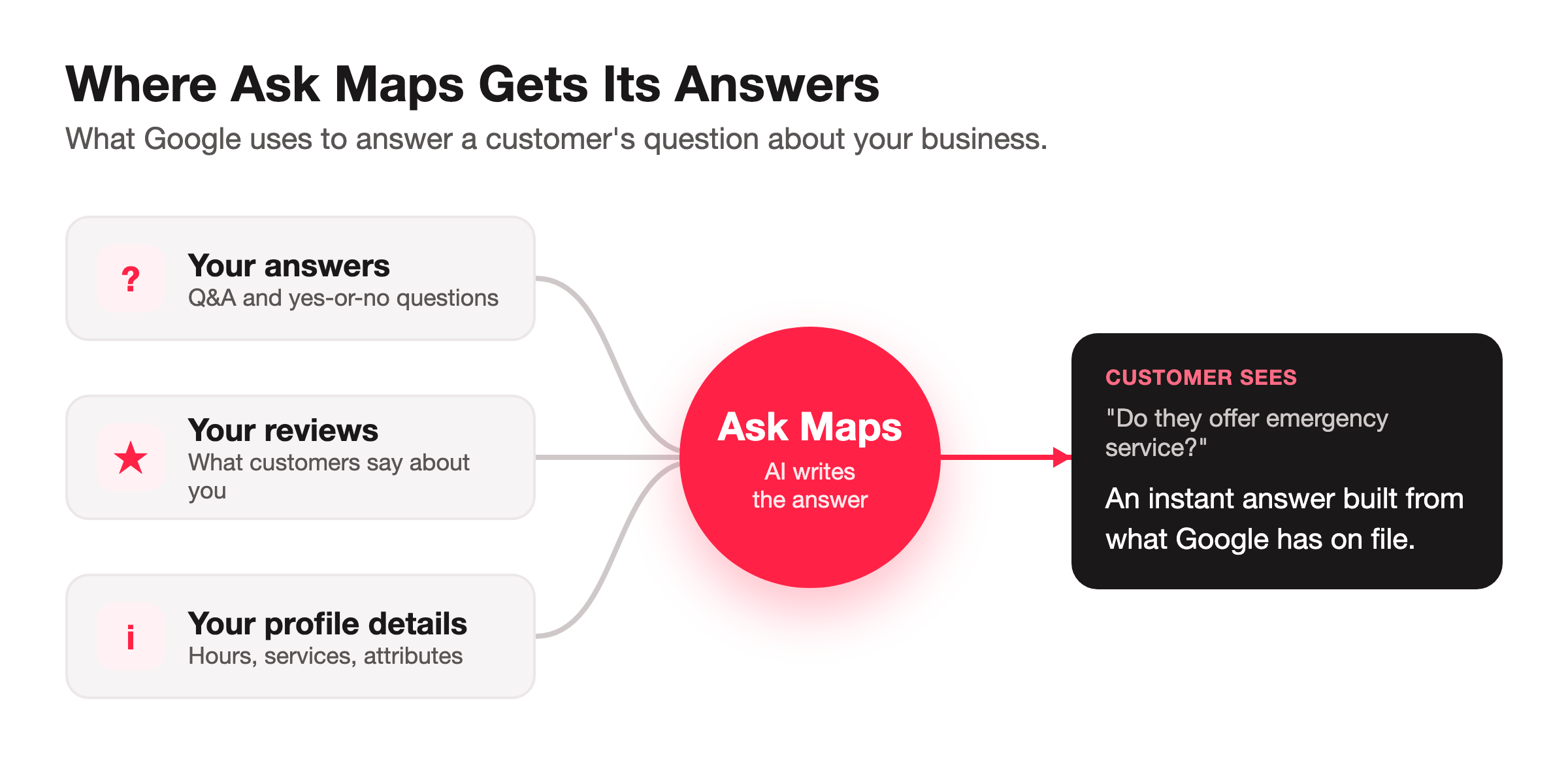
Your answers. What you’ve answered in your profile’s Q&A section and the yes-or-no questions Google asks you about your business.
Your reviews. What customers say about you, good and bad, including details you never wrote yourself.
Your profile details. Hours, services, attributes, and the rest of the business info Google has on file.
Google has confirmed the first two directly. The third is the place data Google says these answers are grounded in. Google hasn’t published a complete list, so treat everything about your business on Google as something the AI might read.
What Changes for Your Business Without Q&A
- Customers posted questions publicly on your listing
- Anyone could answer, including strangers guessing
- You had to watch for new questions and reply
- Old answers sat there long after they were wrong
- Customers get an instant AI answer, no waiting
- The answer is built from your answers, reviews, and profile
- You answer common questions once, not one by one
- Wrong info anywhere on your profile can end up in the answer
How to Make Sure Ask Maps Gets Your Business Right
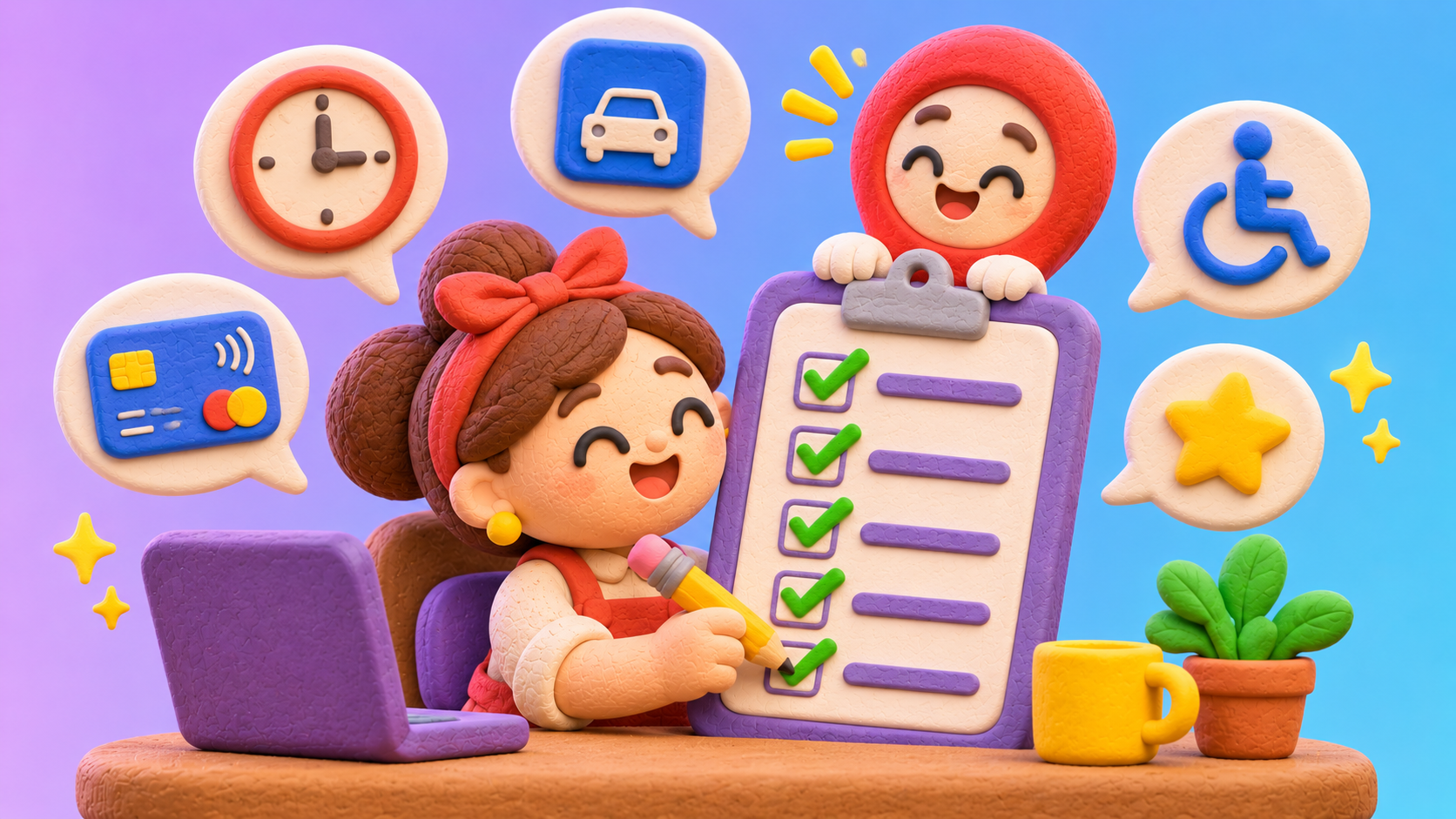
You can’t write the AI’s answers yourself, but you control most of what it reads. Here’s the checklist we’re working through for our own clients:
Answer the questions Google collects. Open the Q&A section of your Business Profile and answer what’s there. For verified U.S. businesses, Google is piloting a Q&A button on mobile with quick yes-or-no questions about your business. Answer those carefully, because Google’s help page says they can’t be edited or deleted on mobile.
Fill in every attribute and service that applies. Parking, accessibility, payment types, service areas, the specific services you offer. The more Google knows, the less the AI has to guess. Our beginner’s guide to Google Business Profile walks through each section.
Keep your hours current, including holiday hours. With Thanksgiving and the holidays coming up, special hours are one of the first things customers ask about.
Check what Google collected about you. In some regions, Edit profile has a Collected info section showing details Google gathered from automated calls and texts to your business, with the source and date. Delete anything that’s wrong.
Ask Maps your customers’ top questions yourself. Open the Google Maps app, find your business, and ask the five questions you hear most on the phone. Write down any answer that’s wrong or vague.
Ask every customer for a detailed review. Reviews that mention specifics, like which service they got or how fast you showed up, give the AI accurate details to work with. Ask everyone, and don’t offer incentives or only ask the happy ones, since both break Google’s review policies.
What to Do When Ask Maps Gives a Wrong Answer About Your Business
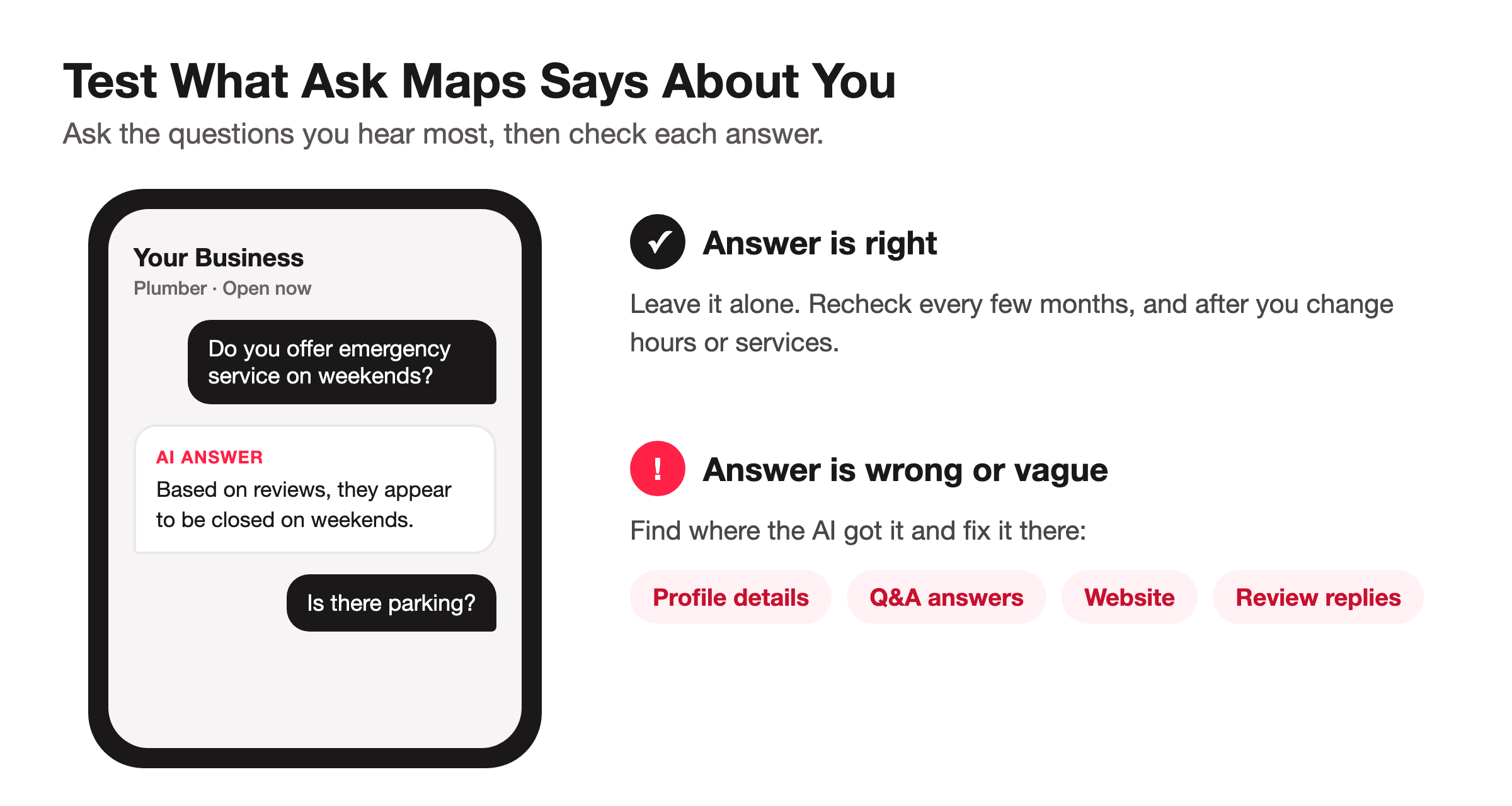
We haven’t found a way to edit a single AI answer directly. The fix is to correct whatever it’s reading:
Update your profile. If the answer is about hours, services, or amenities, fix that field in your Business Profile. Google reviews edits before they go live, so give it a few days.
Answer the related question. If there’s a matching question in your Q&A section, answer it clearly. Google says your answers help respond to similar questions on Maps.
Fix your website. Google says it also pulls business info from your official website, so an outdated services page or old hours can work against you.
Respond to reviews that cause confusion. If an old review says you don’t do something you do now, a polite reply that sets the record straight helps the customers reading it.
Not seeing these features yet? Google says Q&A is only available for some business categories and regions, and Ask Maps started in the U.S. The steps above are still worth doing, since they clean up the same information Google uses everywhere.
The Short Version of What Ask Maps Means for Your Business
Customers aren’t reading your old Q&A anymore. They’re asking Google, and Google answers for you using your profile, your answers, and your reviews. Spend an hour making those complete and accurate, then ask Maps your own top questions to see what it says.
Want help making sure Google’s AI says the right things about your business? See how we manage listings →